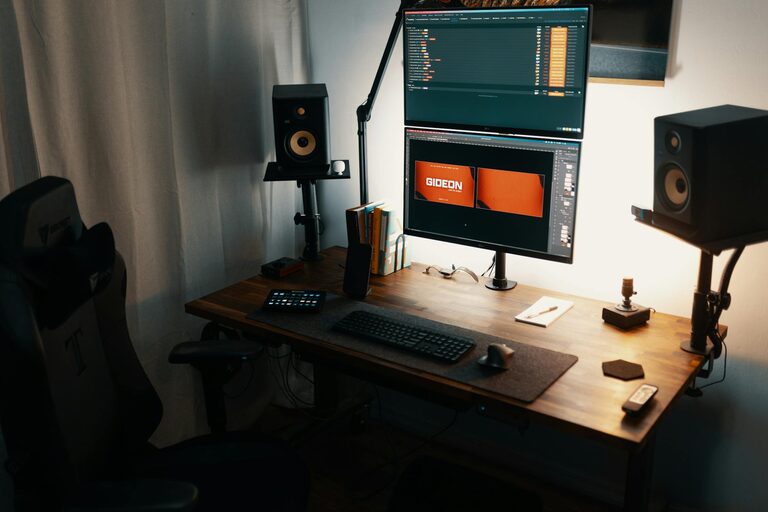

A cluttered workspace can make it difficult to concentrate and finish tasks efficiently. When your desk is filled with papers, supplies, and miscellaneous items, it’s easy to feel overwhelmed and distracted. Organizing your workspace doesn’t have to be a daunting job — with some straightforward strategies, you can create a clean, uncluttered environment that supports your productivity and well-being.
In this post, we’ll explore practical tips for organizing a clutter-free workspace and maintaining it so you can work comfortably and effectively every day.
Why a Clutter-Free Workspace Matters
A tidy workspace helps reduce stress and increases your ability to focus. When everything you need is within reach and distractions are minimized, your mind can stay on the task at hand. Research shows that an organized environment can improve mental clarity, creativity, and time management.
If you’re ready to transform your workspace, follow these helpful tips designed for any home office, corporate desk, or creative studio.
1. Start with a Clean Slate
Before organizing, clear everything off your desk or workspace surface. This gives you a blank canvas to sort through your items carefully. Wipe down surfaces to remove dust and grime. Clearing your desk helps you:
– See what you truly have
– Decide what to keep, toss, or relocate
– Gain motivation to create a clean and inspiring workspace
2. Sort and Declutter Regularly
Clutter accumulates over time, so establish a routine to sort through your belongings. Use the following simple categories as you organize:
– Keep: Frequently used items that support your work
– Store: Necessities you don’t use daily but want to keep handy
– Discard or Donate: Broken, outdated, or unused items
Try the “one-touch” method: when you pick up an item, decide its fate immediately rather than moving it around.
3. Use Smart Storage Solutions
Invest in practical storage that suits your space and work style. Some popular options include:
– Drawer organizers: Separate pens, paperclips, and small supplies
– Shelves or cubbies: Store books, folders, and reference materials
– Bins and baskets: Hold loose papers or office tools neatly
– Cable management: Use clips or sleeves to keep cords tidy and prevent tangling
Clear containers can be helpful when you want to see what’s inside easily. Label storage boxes or drawers so you can find items quickly without opening everything.
4. Keep Only Essentials on Your Desk
Limit the items on your desktop to what you use regularly—usually just your computer, notepad, pen, phone, and maybe a small personal item. Too many things on your desk create visual noise that can distract you.
If you need supplies like staplers or sticky notes, store them in drawers or in accessible containers. This ensures your workspace stays spacious and open.
5. Organize Digital Clutter, Too
A clutter-free workspace isn’t just about physical items. Your computer desktop and files also need organizing to maintain productivity.
– Create clear folder structures for work projects
– Delete or archive files you no longer need
– Use cloud storage for backups and easy access
– Close unused apps and browser tabs to minimize distractions
Regularly tidying your digital workspace supports a smoother workflow.
6. Personalize Thoughtfully
Adding a few personal touches can make your workspace inviting and motivating. Choose one or two items like a photo frame, small plant, or a favorite mug—but avoid overcrowding your desk.
Plants are especially great because they improve air quality and bring a calming presence. The key is to keep your space balanced between practical needs and personal inspiration.
7. Establish Daily Clean-Up Habits
Maintaining an organized workspace requires consistent effort. Spend 5–10 minutes at the end of each workday putting items back where they belong, filing papers, and clearing surfaces.
You can also use this time to review your to-do list and plan the next day. Developing this daily habit prevents mess from piling up and helps you start each day fresh.
8. Optimize Your Layout for Comfort and Efficiency
Arrange your desk setup to support good posture and easy access to tools. Place your computer monitor at eye level and about an arm’s length away. Keep frequently used items within arm’s reach to avoid unnecessary movement.
Organizing your space ergonomically reduces fatigue and promotes longer periods of productive work.
9. Use Vertical Space Wisely
If your desk surface is limited, think vertically. Wall-mounted shelves, pegboards, or bulletin boards provide extra storage and keep important materials visible.
Use these areas for calendars, notes, or to display inspirational quotes that motivate you.
10. Review and Revise Your Setup Periodically
Finally, recognize that your workspace needs might evolve with different projects or seasons. Set a reminder every few months to review your setup and make adjustments. This ongoing effort ensures your environment stays aligned with your productivity goals.
—
Final Thoughts
A clutter-free workspace creates a foundation for focus, creativity, and productivity. By committing to regular decluttering, smart storage, and thoughtful personalization, you’ll enjoy a more efficient and pleasant workday. Start small, stay consistent, and watch how an organized space transforms your routine.